Koko Slim · Portable · Model KS01

Koko Slim Portable Photobooth

Automatic Portable Photo Booth for Events, Rentals, Weddings, Cafés & Brand Activations
Request Quote Watch Video
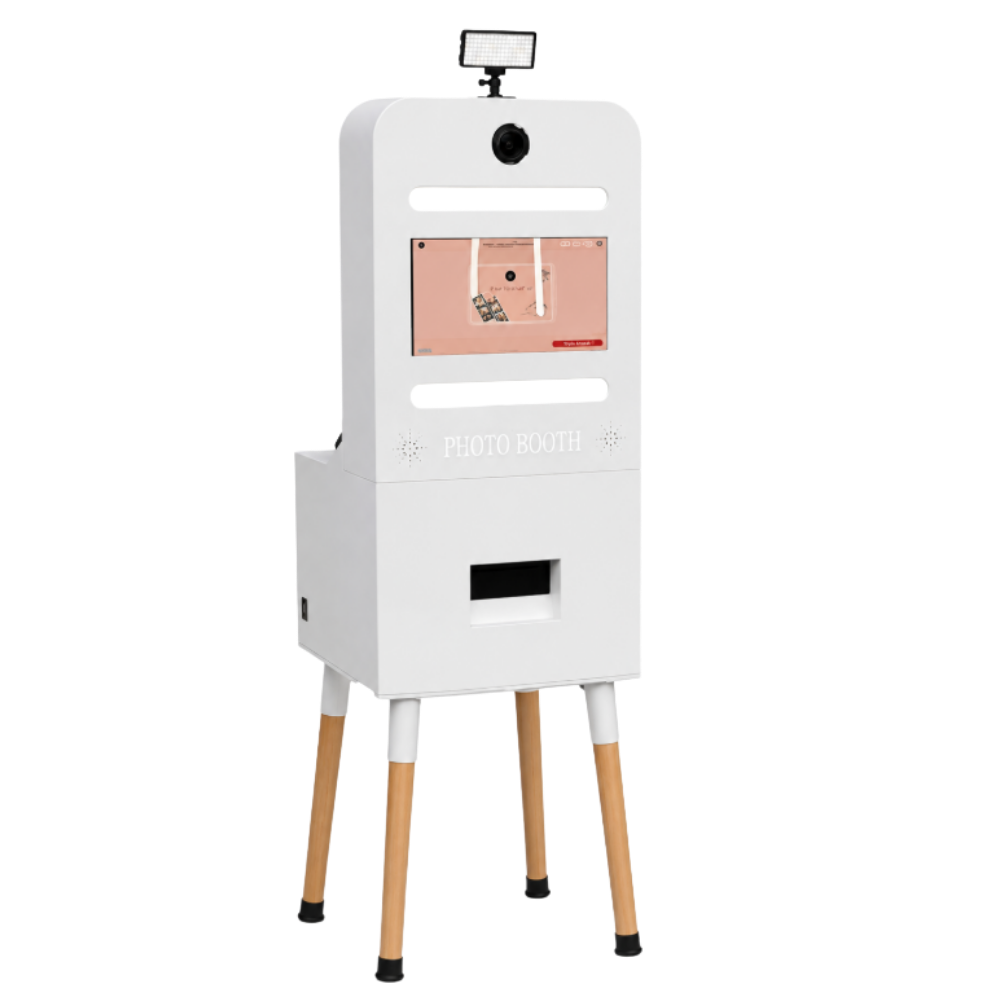
Koko Slim portable photobooth front view

See Koko Slim in Action

Portable Photobooth for Events, Rentals & Brand Activations

A compact 3-part portable photobooth built to pack, travel, and deploy fast.

Triple Arcade Koko Slim (Model KS01) is designed for events, rentals, weddings, cafés, exhibitions, and brand activations. Its modular 3-part design packs into flight cases so operators can transport, assemble, and run the booth at different venues with KokoBooth software for Korean, Events, and AI experiences.

Configure with an Ultra 4K web camera or compatible DSLR, plus an optional Windows-supported printer. Guests get frames, filters, stickers, instant prints, and QR photo/GIF sharing — all from a 15.6" touchscreen with integrated LED lighting.

Features & Highlights

  • ✓ Portable 3-part modular design
  • ✓ Packs into 2 flight cases
  • ✓ Fully Customizable
  • ✓ Instant social sharing
  • ✓ DSLR / Ultra 4K camera options
  • ✓ Premium Design
  • ✓ 2 integrated LED light strips
  • ✓ Payment-ready via software plans
  • ✓ All-in-one KokoBooth software
  • ✓ Pan-India delivery

Ideal Use Case Locations

Weddings Corporate Events Photobooth Rental Businesses Cafés & Experience Zones Exhibitions & Pop-ups Brand Activations

Koko Slim Portable Photobooth Specifications

SeriesKoko Slim
ModelKoko Slim -1
TypePortable, Korean
SKU CodeKS-02
UsesEvents, Parties, Weddings
MaterialMS Powder Premium Coated Machine (White)
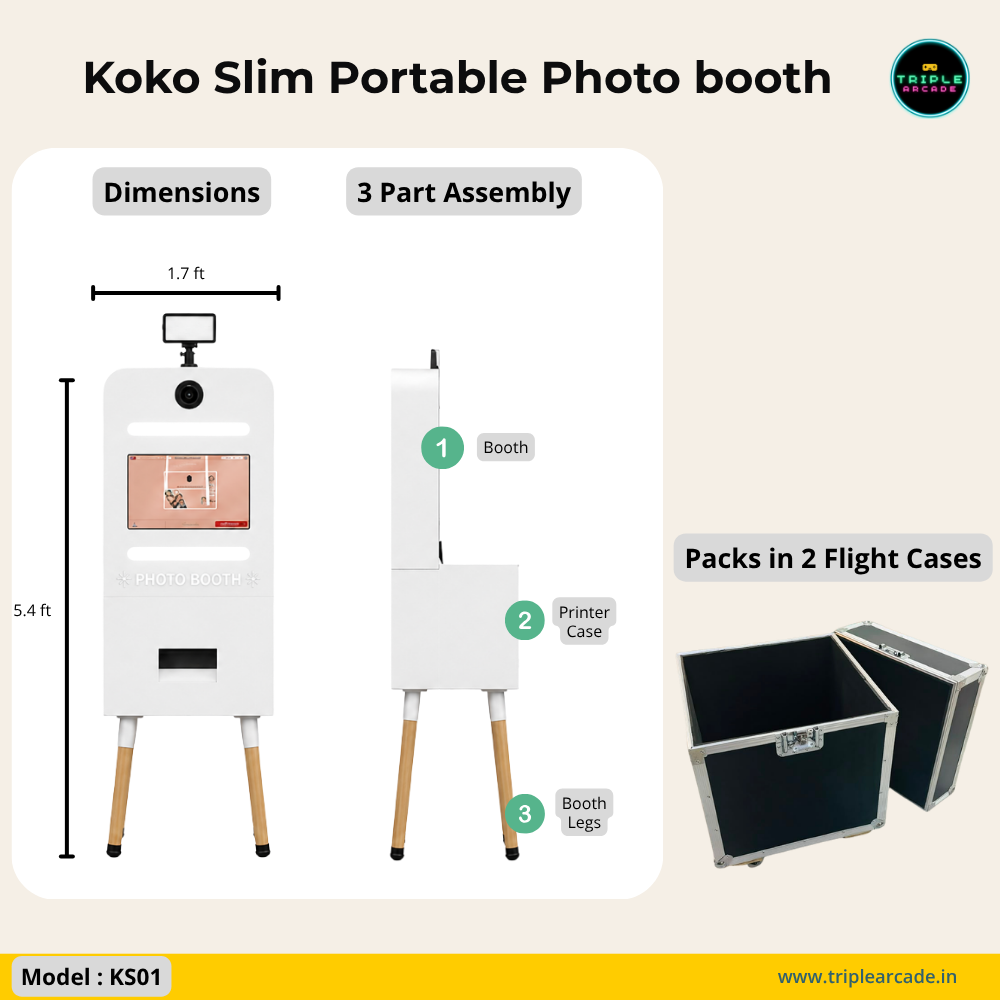
Booth Enclosure Specs15.6" Touch Screen · CPU i3 12th Gen, 256 GB · Detachable Printer Case · Detachable Kiosk Stand Legs · 2 Beauty lights integrated · Cooling Fan · Back Side Panel Accessible
Dimensions460 × 460 × 1680 mm
Product Weight38 Kg
ColorWhite
MirrorNo
Power300 W / 6 A / 220 V
InternetSupports Wi‑Fi or LAN
Warranty6 Months Manufacturer
CameraAny Canon DSLR / Webcam · Recommended: Canon R100
PrinterAny Windows Compatible · Recommended: DNP RX1
Photobooth SoftwareKokoBooth by Triple Arcade
ManufacturerTriple Arcade, India
Other Features3 Part Assembly · Easy to dismantle · No Extra Wires · Automatic Machine
Optional Add OnsFlight Cases · Flash / Top LED Light · Portable Booth Enclosure
Print Output1 / 2 Strip · 6×4 Inch Print Color
Logo CustomizationYes
Koko Slim portable photobooth dimensions

KokoBooth Software

FramesAs per Plan
FiltersYes
StickersAs per Plan
CustomizationFrames, Stickers, Theme
PaymentUPI, Card, Cash Coupon
DashboardYes
Booth ControlsYes
Live GalleryYes
KokoBooth

Control your booth experience

Automatic

Automatic Photo Booth Software

A Korean-style self-service UI that guides guests from tap to print — no attendant needed at the booth.

Print Design

Customized Frames, Stickers and Theme

Build every print your way — from layout to logo — then drop designs from your favorite creative tools straight onto the booth.
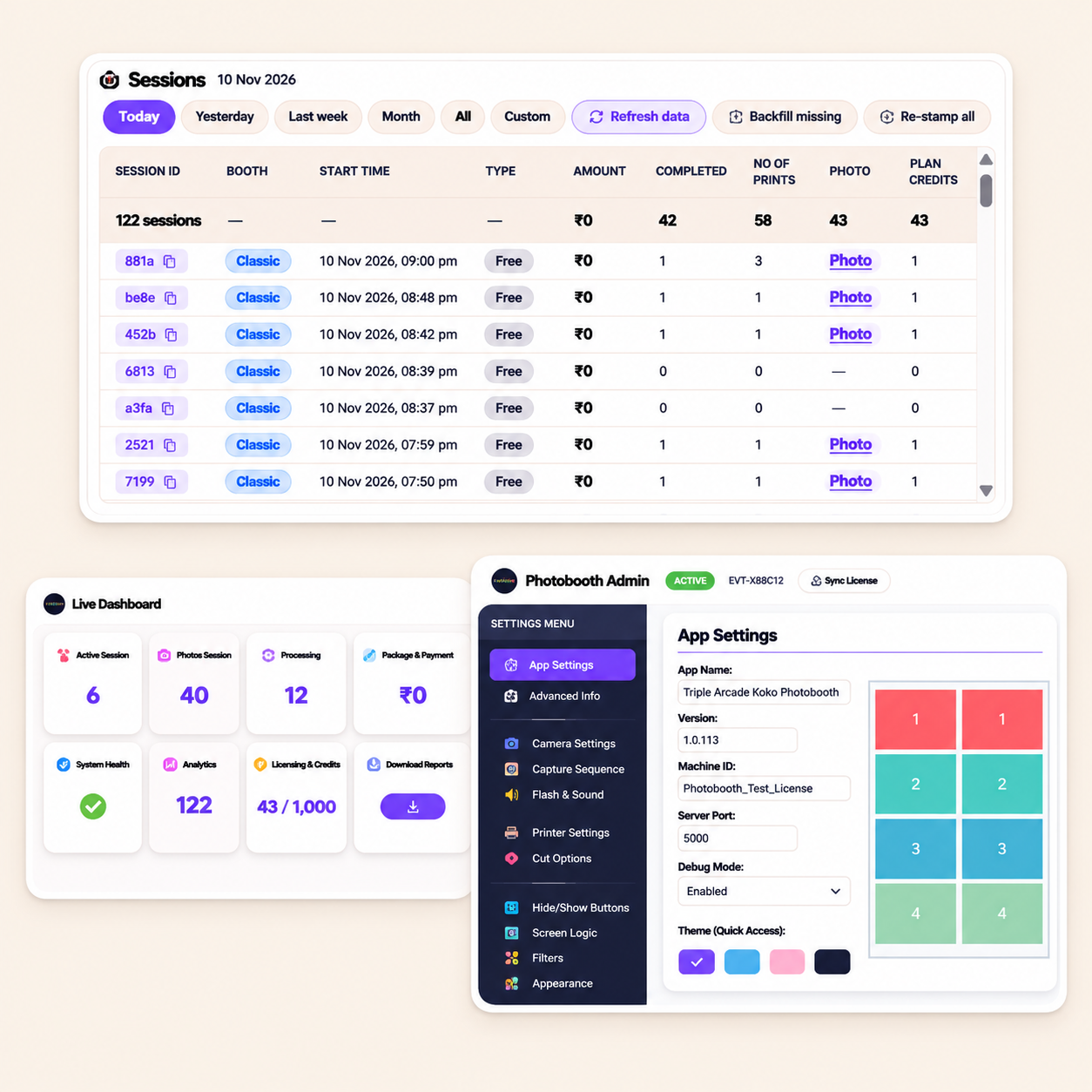
Photobooth dashboard — sessions analytics, live status, and admin settings
Reports

Dashboard & Downloadable CSV

See what happened at every booth in real time — session counts, print copies, payments, and credit usage — then export filtered data for your clients or accounts team.

KokoBooth

User Flow

How a guest moves through Koko Slim, from choosing a cut to collecting the print and GIF. KokoBooth software
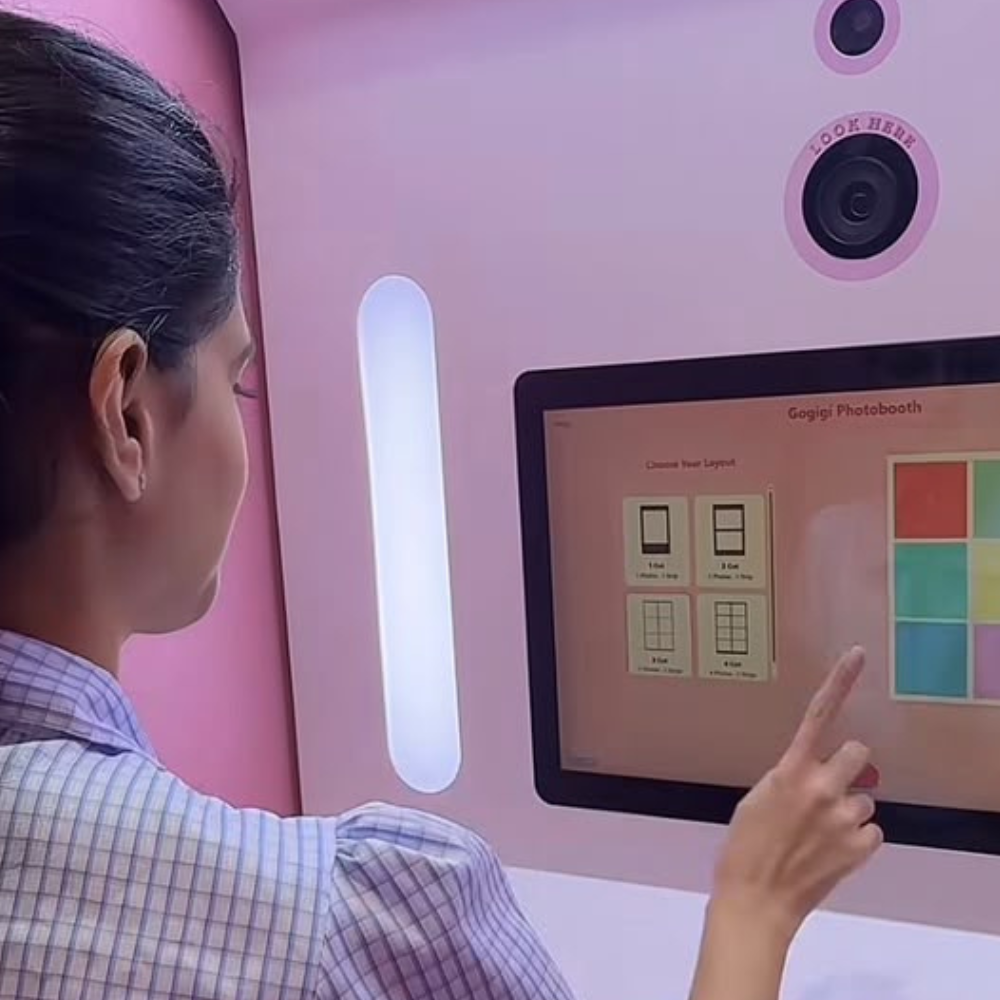
Choose Your Layout — 1 Cut, 2 Cut, 3 Cut, and 4 Cut options on the Korean booth screen
Step 1

Choose Cut

Guests start by picking their print layout — the classic Korean-booth first step that sets strip style before anything else.
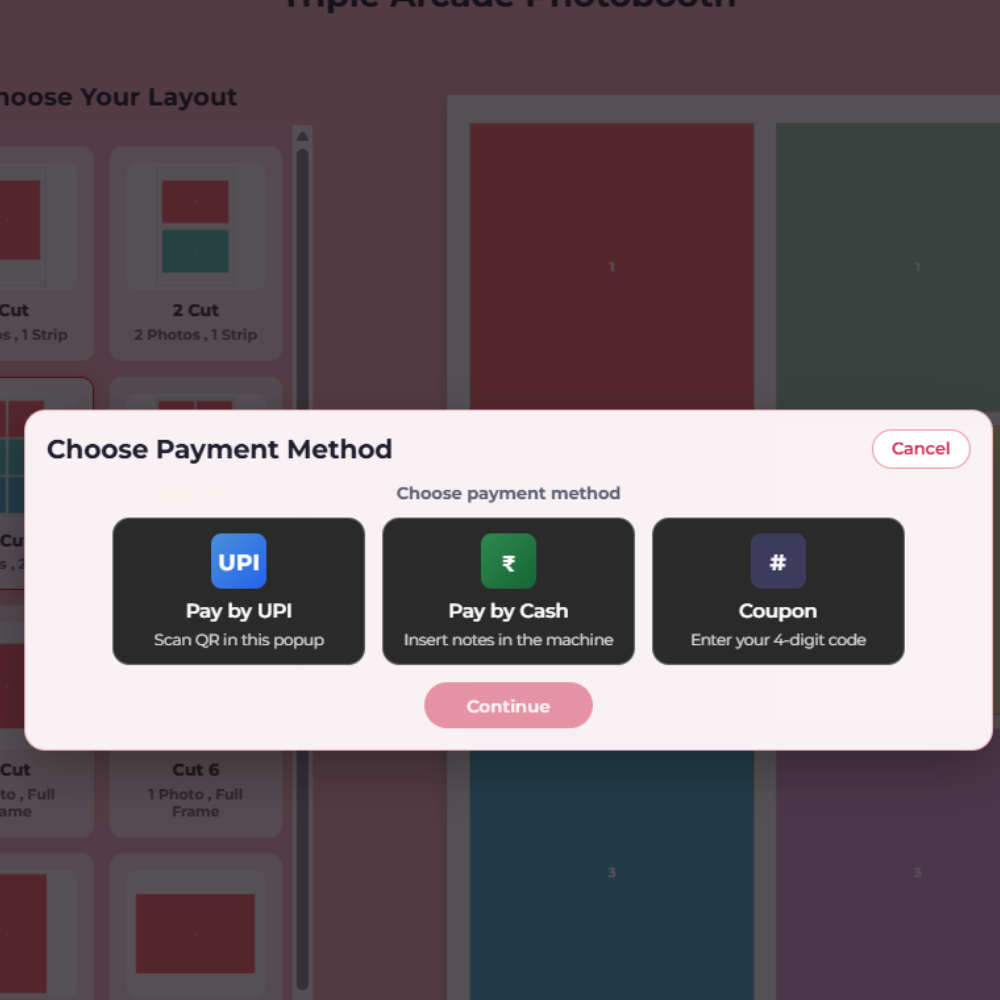
Choose Payment Method — Pay by UPI, Pay by Cash, and Coupon
Step 2

Make Payment

Three payment options keep unmanned booths moving — guests pay their way and continue without staff.
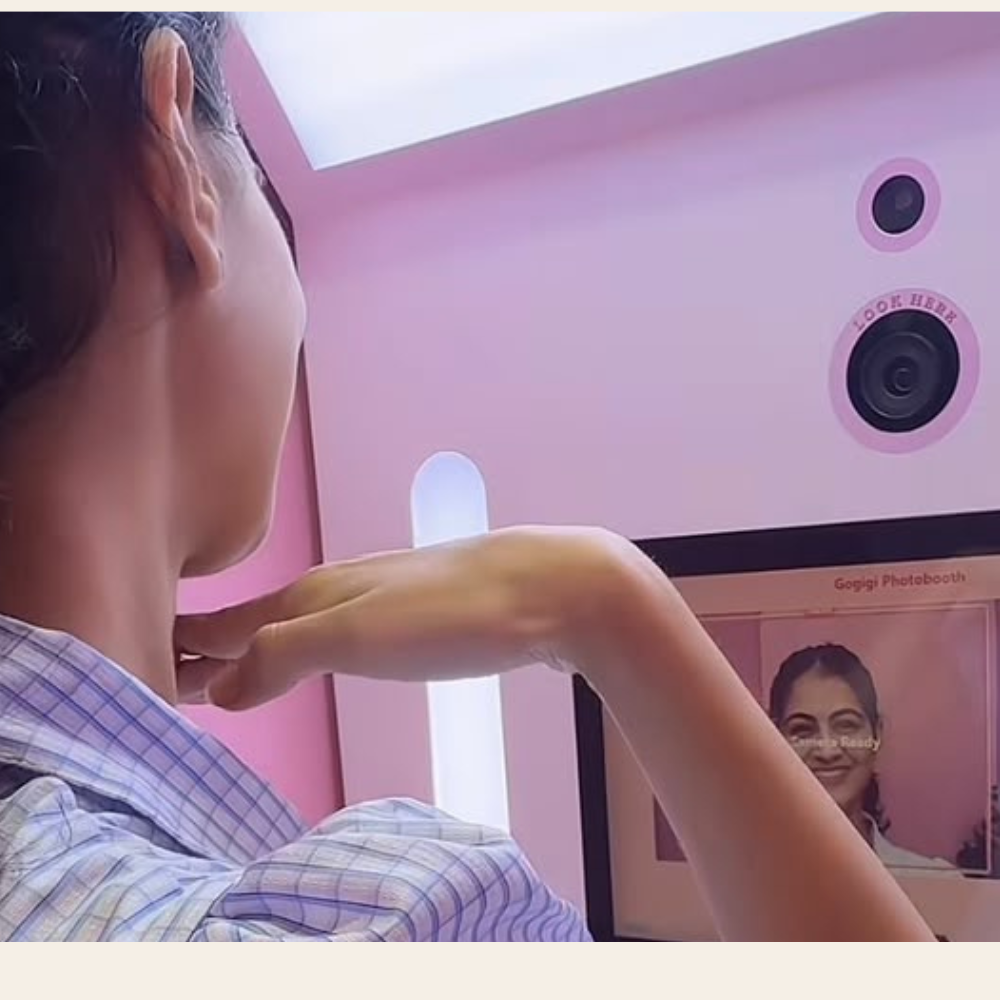
Strike a Pose — live camera preview with Camera Ready on the booth screen
Step 3

Strike a Pose

Capture modes for every venue — fully self-service, assisted, or fully operator-controlled.
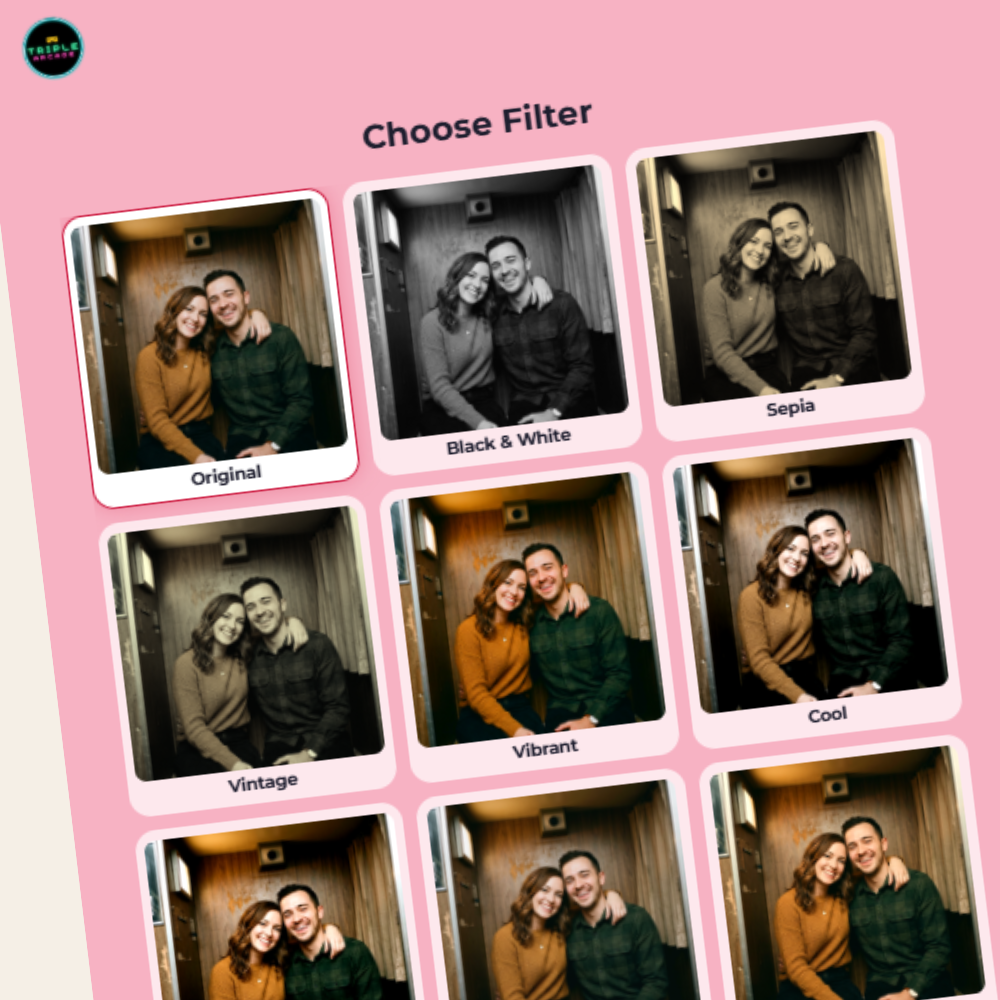
Choose Filter screen with Original, Black and White, Sepia, Vintage, Vibrant, and Cool
Step 4

Choose Filter

Guests preview looks before they commit — operators stay in control of which filters appear on the booth.
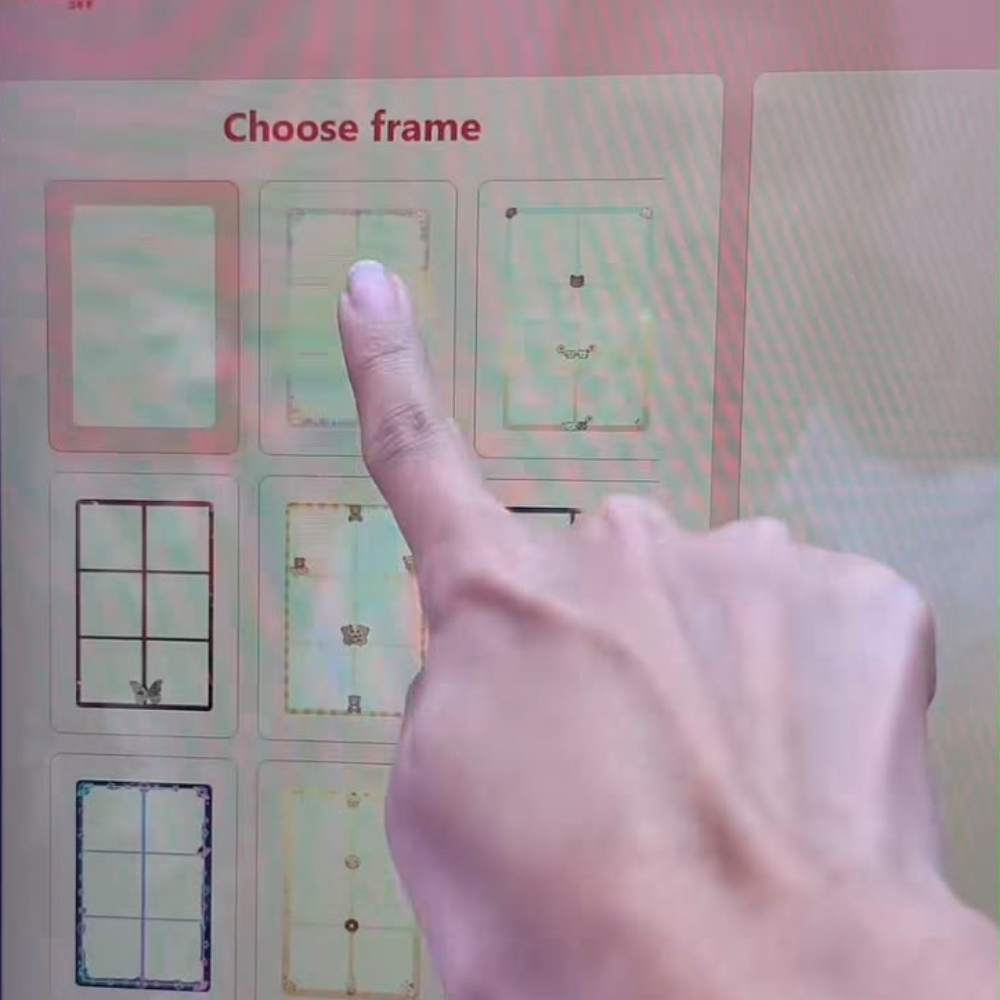
Choose frame — Korean-style frame library on the booth touchscreen
Step 5

Apply Frame

Apply a Korean frame in one tap — start from the library or bring your own designs.
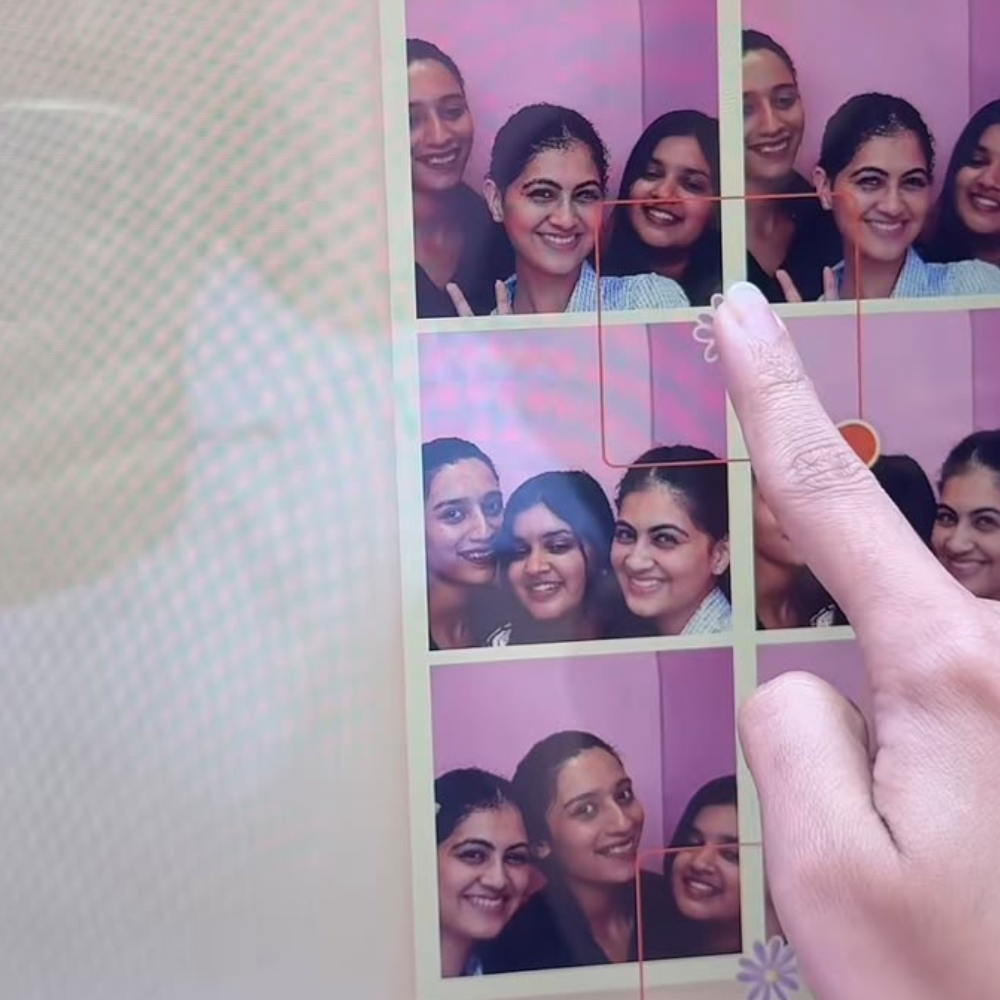
Add Stickers — touch to place decorative stickers on the photo strip
Step 6

Add Stickers

Guests decorate the strip before it prints — drag, place, and personalize every session.
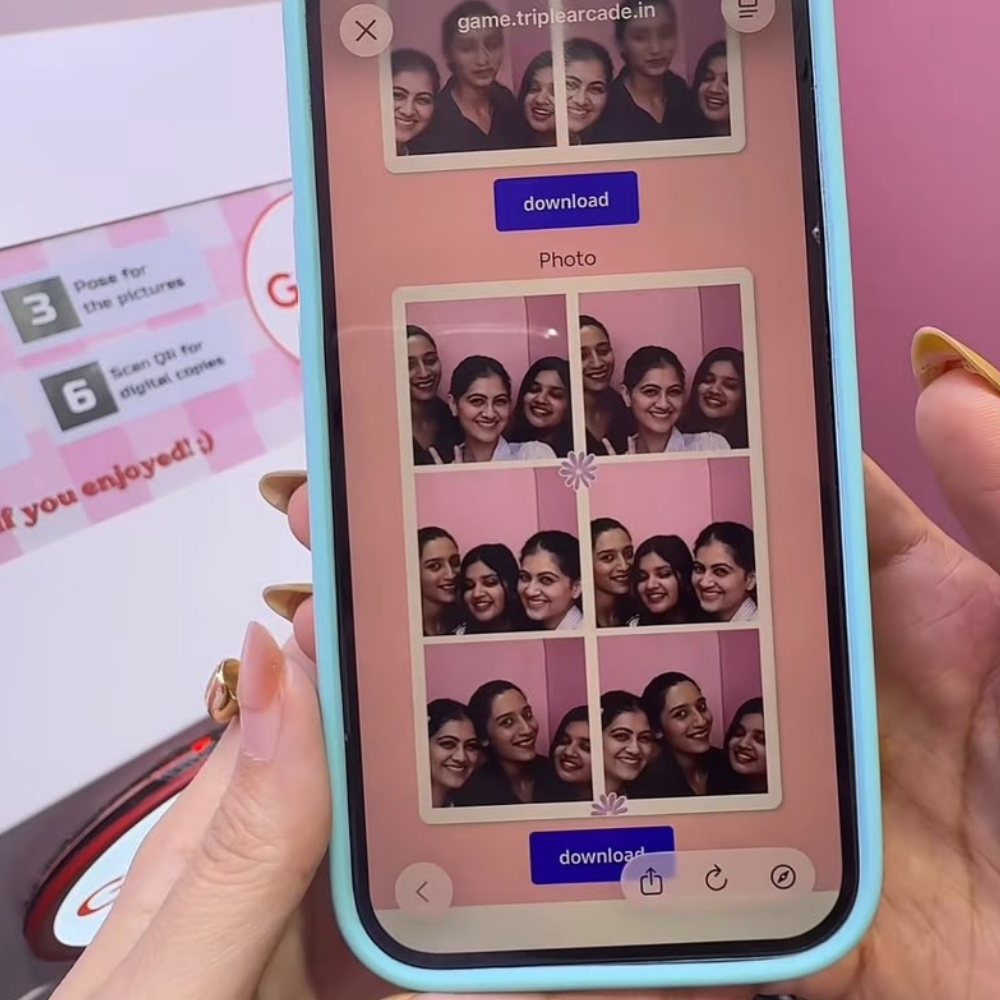
Collect photos and GIF on phone via QR scan with download buttons
Step 7

Collect Print & GIF

Guests leave with a physical print and digital copies — scan QR for photos and GIF on their phone, and show a live social media wall at the venue.

Product FAQ

Hardware & Specs

Koko Slim -1 (KS-02) is a portable Korean booth with 15.6" touchscreen, CPU i3 12th Gen / 256 GB, Canon DSLR or webcam (recommended R100), Windows-compatible printer (recommended DNP RX1), 2 integrated beauty lights, 3-part assembly, and size 460 × 460 × 1680 mm (38 Kg).
Yes. Camera and printer configurations are optional, so you can configure the booth according to your requirements.
Yes — 15.6" touchscreen is included. Camera and printer are configurable so you can run instant prints with a Windows-compatible printer when fitted, plus QR photo/GIF sharing through software.

Features & Usage

Photobooth rental businesses, event planners, wedding and corporate organizers, professional photographers, cafés, exhibitions, and brand activations.
Yes. Options include logo light and instruction creatives on the machine body, internal software themes and UI colors, and custom frames/stickers in the guest flow and print.

Payments & Monetization

Yes. Payment functionality is available through compatible KokoBooth software plans, with UPI and payment gateway options depending on plan and hardware.
Yes. UPI and payment gateway options are available through compatible KokoBooth by Triple Arcade plans.

Pricing & Plans

Pricing depends on camera/printer options, branding, and city. Request a customized quotation.
Request a Quote →
Monthly and Yearly plans are available.
See pricing →
Korean booth features: KokoBooth software →
Software and remote support are included with your plan; post-warranty hardware repair/replacement assistance is available as needed.

Software

Compatible with KokoBooth by Triple Arcade (Events / Korean / AI) and the full guest workflow from layout to print and share.
See KokoBooth software →

Warranty, Delivery & Support

Hardware warranty is 6 months; an additional 12 months can be purchased. Installation is a separate line item on the quotation — opt in or out. Software and remote support are included; TAT depends on your software plan. After warranty, we assist with hardware repair and replacement guidance.
Manufacturing typically takes 12–15 days. Shipping across India usually ranges from 6–15 days. Installation, when opted for, is typically 1 day. Delivery charges are quoted for your city on the quotation. For destinations outside India, see the shipping questions below or ask when you request a quote.
Request a Quote →

Shipping & Export

On this website we state that Triple Arcade ships across India and can quote global / export delivery on request. That is our own shipping offer — share your destination when you enquire and we will confirm logistics, lead time, and charges for that route.
Request a Quote →
Export enquiries are welcome. Tell us the destination country when you request a quote and our team will advise on feasibility, packing, shipping, and documentation for that route.
Request a Quote →